Target Schema
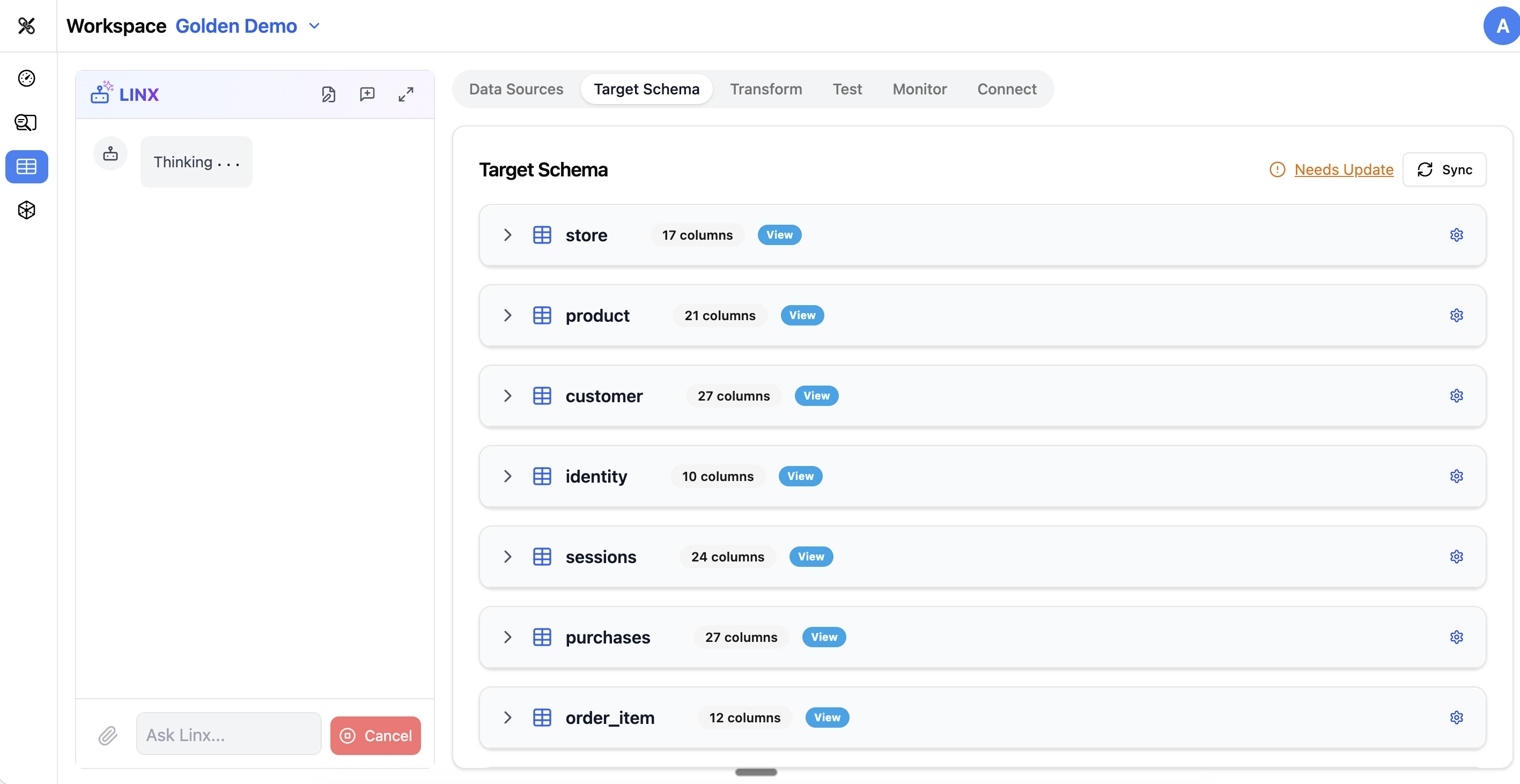
The Target Schema tab is where you define what your output data should look like. This is the blueprint for your clean, unified data — the structure that your downstream analytics, dashboards, and tools will consume.
What is a Target Schema?
Your target schema is a collection of tables and columns that represent the ideal structure of your data. For example, if you're building a customer analytics platform, your target schema might include:
customers— one row per customer with name, email, signup date, etc.orders— one row per order with customer ID, amount, status, etc.events— one row per behavioral event with timestamps and attributescampaigns— marketing campaign metadata
The target schema is what you're mapping your source data into.
The Schema Editor
Table List
The left side of the Target Schema tab shows all tables in your target schema. Each table can be expanded to show its columns.
Creating Tables
To add a new table to your target schema:
- Click Add Table
- Give it a name and optional description
- Start adding columns
You can also ask the Pipeline Agent to create tables based on your requirements (e.g., "Create a customers table with standard CRM fields").
Managing Columns
For each table, you can:
- Add columns — specify name, data type, and constraints
- Edit columns — change the name, type, or description
- Remove columns — delete columns you don't need
- Reorder columns — arrange them in a logical order
Each column has:
| Property | Description |
|---|---|
| Name | The column name (e.g., customer_id, email, created_at) |
| Data Type | The storage type (string, integer, date, timestamp, boolean, etc.) |
| Nullable | Whether the column allows null/empty values |
| Description | A human-readable explanation of what the column represents |
Column Prefixes
For tables that combine data from multiple sources, you can use column prefixes to keep things organized (e.g., web_ prefix for columns from web analytics, crm_ prefix for CRM data).
Table Descriptions
Each table can have a description explaining its purpose, grain (what one row represents), and any important notes. Good descriptions help the AI agents understand your data model and generate better mappings.
dbt Tests
The Target Schema tab lets you configure data quality tests that run automatically as part of your pipeline. These are powered by dbt (Data Build Tool) under the hood, but you configure them through the UI.
Built-in Tests
- not_null — ensures a column never has null values
- unique — ensures all values in a column are unique
- accepted_values — ensures values are from a specific list (e.g., status must be one of: active, inactive, suspended)
Runtime Tests
Beyond the built-in tests, you can configure runtime tests that check:
- Regex patterns — values must match a specific format (e.g., email format)
- Volume checks — table must have a minimum number of rows
- Drift detection — alerts you when the schema or data distribution changes unexpectedly
Library Templates
Datalinx includes pre-built schema templates for common use cases. The Library Templates dialog lets you browse and import templates instead of building from scratch. This is a great starting point if your project follows a standard pattern (e.g., customer 360, marketing attribution, product analytics).
Syncing with Your Database
The target schema in Datalinx is a logical definition — it describes what you want the data to look like. When you're ready to create the actual tables in your database, you can sync the schema, which:
- Compares the Datalinx definition to what exists in the database
- Highlights any differences
- Applies the changes (creating new tables, adding columns, etc.)
Tips
- Start with a clear idea of what questions you want to answer — this drives what tables and columns you need in your target
- Use descriptive table and column names — they help the AI agents generate better mappings and insights
- Add descriptions to all tables and important columns — this metadata is used throughout the platform
- Configure not_null and unique tests on key columns early — they catch data quality issues before they reach production
- The Pipeline Agent can help design your schema: "I need a target schema for marketing attribution with campaigns, conversions, and customer touchpoints"