Foundations: Object Types
Object Types are the core building blocks of your semantic layer. Each Object Type represents a business entity — a "thing" that exists in your data model.
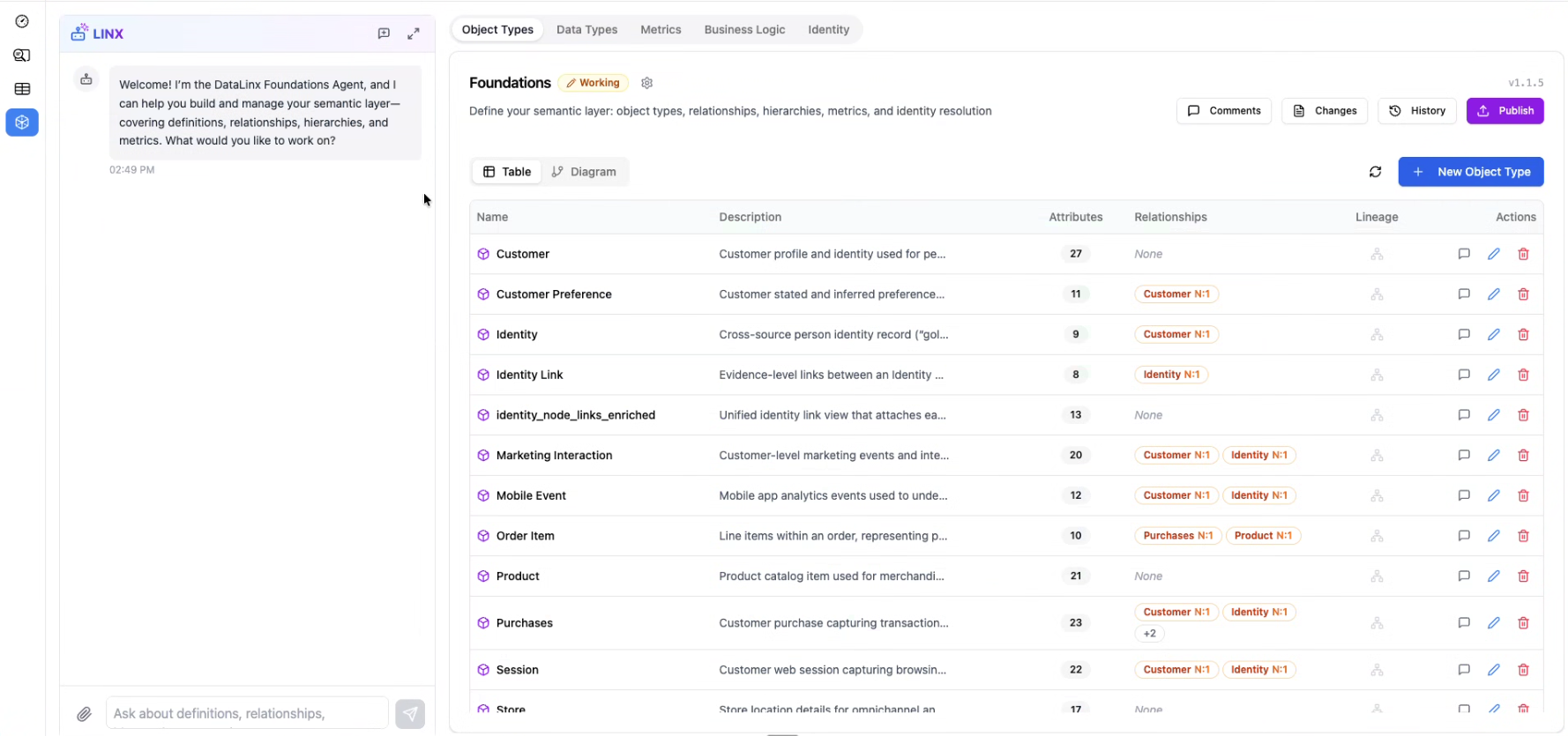
What is an Object Type?
An Object Type is a named business concept with:
- A name — typically plural (e.g., "Customers", "Orders", "Products", "Campaigns")
- A description — what this entity represents in your business
- Attributes — the properties/fields of this entity
- Relationships — how this entity connects to other entities
- Source mappings — which database tables contain this entity's data
Examples
| Object Type | Description | Key Attributes |
|---|---|---|
| Customers | People who have created an account | email, name, signup_date, region |
| Orders | Purchase transactions | order_id, amount, status, order_date |
| Products | Items available for purchase | product_id, name, category, price |
| Campaigns | Marketing campaigns | campaign_id, name, channel, start_date, budget |
| Events | User behavioral events | event_id, event_type, timestamp, device_id |
Views in the UI
The Object Types tab offers two ways to view your entities:
Diagram View
A visual graph showing all your Object Types as connected nodes. Relationships are displayed as lines between entities, making it easy to see how your data model fits together at a glance. This is great for understanding the big picture.
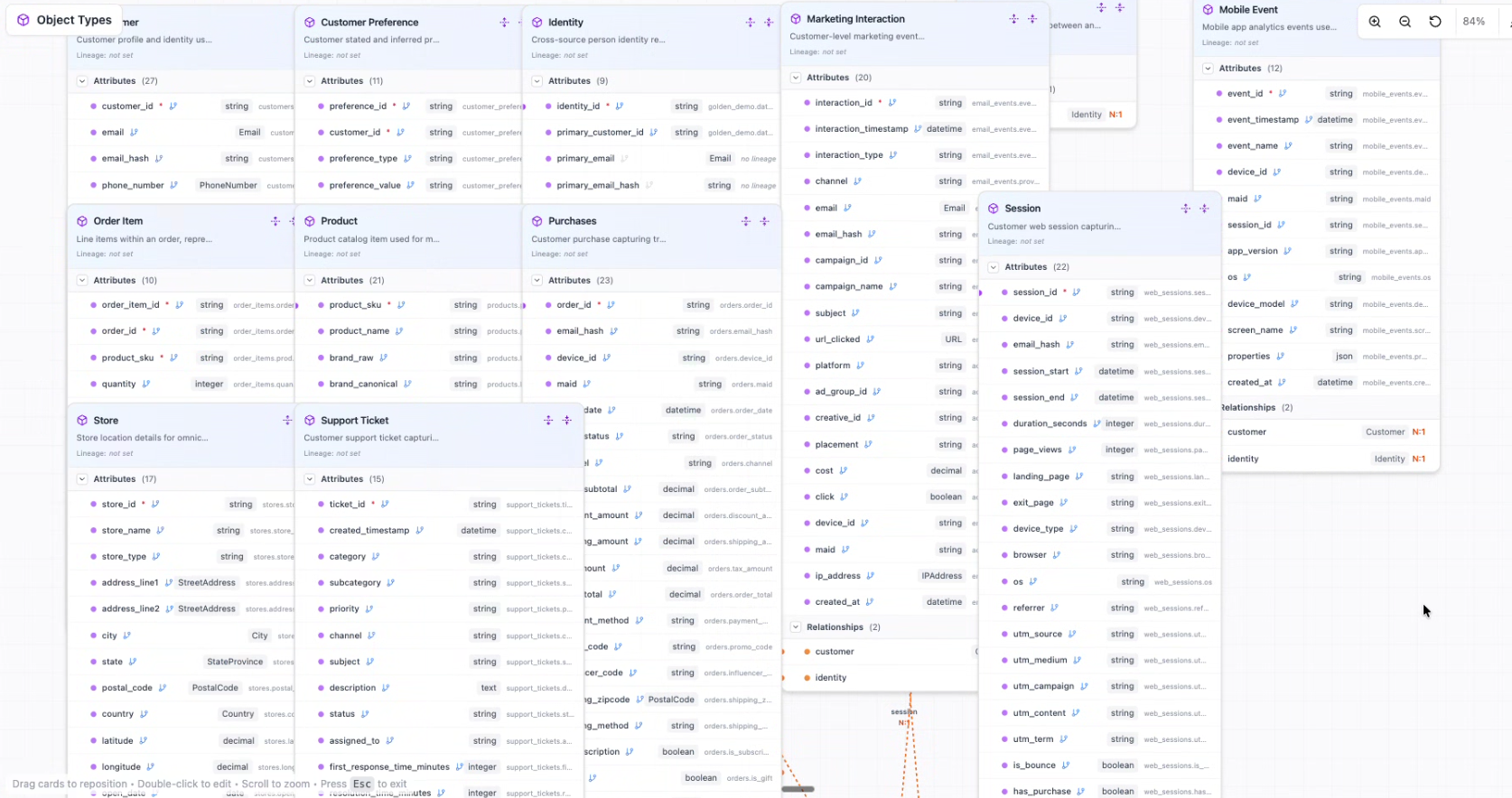
Table View
A structured list of all Object Types with their details. Each entity can be expanded to show its attributes, relationships, and source mappings. This is better for detailed editing and review.
Attributes
Each Object Type has a list of attributes — the fields that describe the entity. For each attribute, you define:
| Property | Description |
|---|---|
| Name | The attribute name (e.g., email, total_amount, signup_date) |
| Data Type | A semantic type from the Data Types library (e.g., Email, Currency, Date) — or a base type (string, integer, etc.) |
| Description | What this attribute represents |
| Required | Whether this attribute must always have a value |
Semantic Types vs. Base Types
Whenever possible, use semantic types (defined in the Data Types tab) rather than basic storage types. For example:
- Use Email instead of "string" for email addresses
- Use Currency instead of "decimal" for monetary amounts
- Use PhoneNumber instead of "string" for phone numbers
Semantic types carry validation rules and business context that make your data model smarter.
Static Metrics
Some attributes represent pre-calculated metrics (e.g., lifetime_value, total_orders). These are marked as static metrics within the Object Type and are preserved when the entity is updated.
Relationships
Relationships define how Object Types connect to each other. They represent the foreign key connections in your data.
Key Rule
Relationships are defined on the entity that holds the foreign key. For example:
- Correct: Orders have a relationship to Customers (because the
orderstable has acustomer_idcolumn) - Incorrect: Customers have a relationship to Orders (the
customerstable doesn't have anorder_idcolumn)
You don't need to create "reverse" or "collection" relationships — Datalinx infers those automatically.
Cardinality
Each relationship specifies how many records can be connected:
| Cardinality | Meaning | Example |
|---|---|---|
| Many-to-One | Many of this entity reference one parent | Many Orders → one Customer |
| One-to-One | This entity references exactly one parent uniquely | One UserProfile → one User |
| Many-to-Many | Requires a junction/bridge table | Products ↔ Categories (via product_categories table) |
Relationship Properties
| Property | Description |
|---|---|
| Name | A descriptive name (e.g., "customer", "product") |
| Target | The Object Type this relationship points to |
| Column | The foreign key column in this entity's table |
| Cardinality | many_to_one, one_to_one, or many_to_many |
Source Mappings
Each Object Type can be linked to one or more source database tables. This tells Datalinx where the entity's data actually lives. Source mappings are typically generated automatically during the ontology scan.
Creating Object Types
Via the UI
- Click Add Object Type
- Fill in the name and description
- Add attributes with their data types
- Define relationships to other entities
- Save
Via the Foundations Agent
Ask the agent to create entities for you:
- "Create a Customers object type with email, name, signup_date, and region attributes"
- "Add a relationship from Orders to Customers using the customer_id column"
- "Scan my source database and generate object types for all business entities"
Via Ontology Scan
The most efficient way for large databases is to use the ontology scanning tools (through the Foundations Agent). The scanner:
- Analyzes all your source tables
- Identifies business concepts (groups of related tables)
- Generates Object Types with attributes, descriptions, and relationships
- You review and refine the results
Tips
- Use plural names for Object Types (e.g., "Customers" not "Customer") — this avoids conflicts with SQL reserved words
- Foreign key columns should NOT be listed as attributes — define them as relationships instead
- Keep descriptions clear and specific — the AI agents rely on them to understand your data model
- Start with core entities (Customers, Orders, Products) and expand from there
- The diagram view is great for presentations and team alignment; the table view is better for detailed work