Foundations: Overview
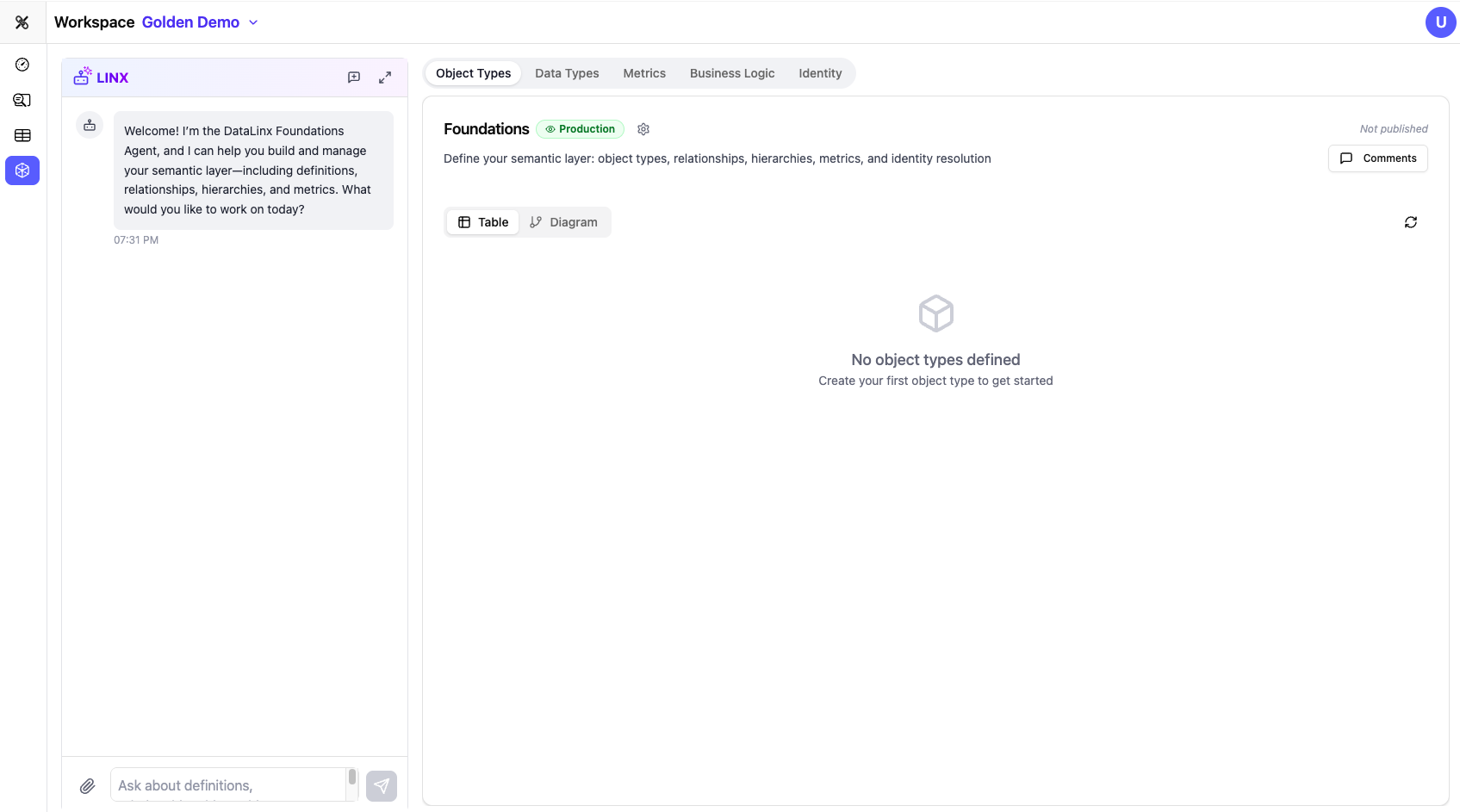
The Foundations module is Datalinx's semantic layer — a structured, business-level definition of what your data means. While the Configure module handles the how (how data moves from source to target), Foundations handles the what (what your data represents in business terms).
Why Foundations?
Raw data is full of technical artifacts — table names like stg_cust_v2, column names like amt_usd_net, and relationships that only make sense if you wrote the original SQL. Foundations translates this into business language:
stg_cust_v2becomes the Customers entityamt_usd_netbecomes an Amount attribute of type Currency- The join between
orders.cust_idandcustomers.idbecomes a Relationship: "Orders belong to Customers"
This semantic layer powers everything else in Datalinx — the AI agents use it to understand your data, the mapping engine uses it to suggest connections, and the insights engine uses it to generate meaningful analysis.
What's in Foundations?
The Foundations module has five sub-tabs:
| Tab | What It Defines |
|---|---|
| Object Types | Business entities — the "things" in your data (Customers, Orders, Products, Campaigns, etc.) |
| Data Types | Semantic types that carry meaning beyond basic storage types (Email, Phone Number, Currency, etc.) |
| Metrics | Business calculations and KPIs (Total Revenue, Churn Rate, Conversion Rate, etc.) |
| Business Logic | Governance rules — who can access what, data masking rules, quality requirements |
| Identity | Identity resolution configuration — how records from different sources are matched to the same person |
How Foundations Gets Built
You have three ways to build your semantic layer:
1. AI-Assisted (Recommended for New Projects)
Ask the Foundations Agent to scan your source data and generate an initial semantic model:
- "Scan my source tables and create an ontology"
- "What business entities exist in my data?"
The agent uses the Ontology Scanner to analyze your tables, identify business concepts, and generate object types, relationships, and descriptions automatically. You then review and refine.
2. Manual Creation
Create object types, data types, and metrics by hand through the UI. This gives you full control but takes longer.
3. Hybrid
Start with an AI scan, then manually adjust — adding missing entities, correcting relationships, and refining descriptions. This is the most common approach.
Versioning and Collaboration
Foundations supports collaborative workflows:
- Version tracking — see the current version and whether there are unpublished changes
- Comments sidebar — leave notes and questions on specific definitions for team review
- Changes summary — view a diff of what's changed since the last published version
- History — browse previous versions of your semantic model
- GitHub integration — publish your Foundations definitions to a Git repository for version control
Using the Foundations Agent
The Foundations Agent (visible in the left panel when you're in the Foundations module) is a specialized AI assistant for building your semantic layer:
- "Scan the ontology"
- "Scan the source database and identify all business entities"
- "Create an object type for Customers with standard attributes"
- "Define a relationship between Orders and Products"
- "What metrics should we track for our subscription business?"
- "Add an Email data type with validation"
The agent can execute these actions directly, creating and modifying your Foundations definitions conversationally.