Activate
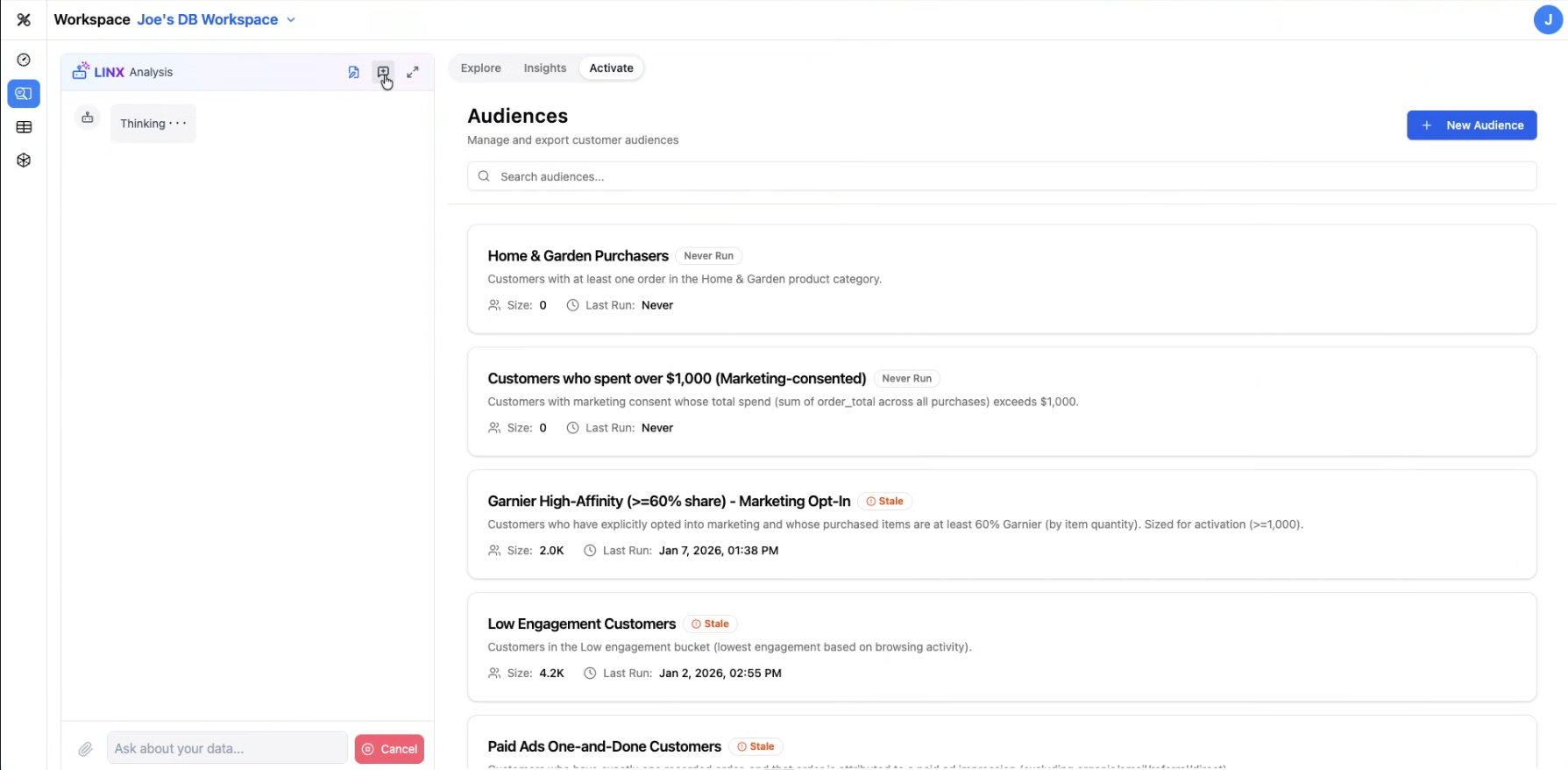
The Activate tab is where you define, manage, and export audience segments from your unified data. This is the bridge between your data warehouse and your marketing, advertising, and engagement platforms.
What is an Audience?
An audience is a defined segment of records (typically customers or users) that meets specific criteria. For example:
- "Users who signed up in the last 30 days and haven't made a purchase"
- "Customers with lifetime value over $500 in the Northeast region"
- "Leads who visited a pricing page but didn't convert"
Audiences are built from your unified target data — the clean, mapped data that Datalinx produces.
The Audiences List
When you open the Activate tab, you'll see your existing audience segments with:
- Audience name and description
- Record count — how many records match the criteria
- Activation status — whether the audience has been exported to a destination
- Key metrics — relevant stats about the audience
Working with Audiences
Creating an Audience
You can create audiences by:
- Defining criteria through the UI
- Asking the Analysis Agent (e.g., "Create an audience of users who churned in Q4")
- Using SQL to define the segment logic
Viewing Audience Details
Click into any audience to see:
- The full criteria / definition
- A preview of matching records
- Metrics and breakdowns
- Export history
Activating (Exporting)
Once an audience is defined, you can activate it by exporting to downstream platforms. Datalinx supports connections to marketing and advertising platforms, enabling you to push audience segments for:
- Ad targeting (Google, Meta, TikTok, etc.)
- Email campaigns
- Personalization engines
- Analytics tools
Using the Analysis Agent
The Analysis Agent can help you build and refine audiences:
- "How many users signed up last month from paid campaigns?"
- "Create a segment of high-value customers who haven't engaged in 60 days"
- "What percentage of our audience overlaps between these two segments?"
Tips
- Audiences are most powerful when your identity resolution is configured — this ensures each audience member represents a real, deduplicated person rather than a collection of anonymous device IDs
- Start with simple audiences and iterate as you learn your data
- Check the record count after creating an audience to make sure it's a reasonable size — very small or very large audiences may indicate criteria issues