Foundations: Metrics
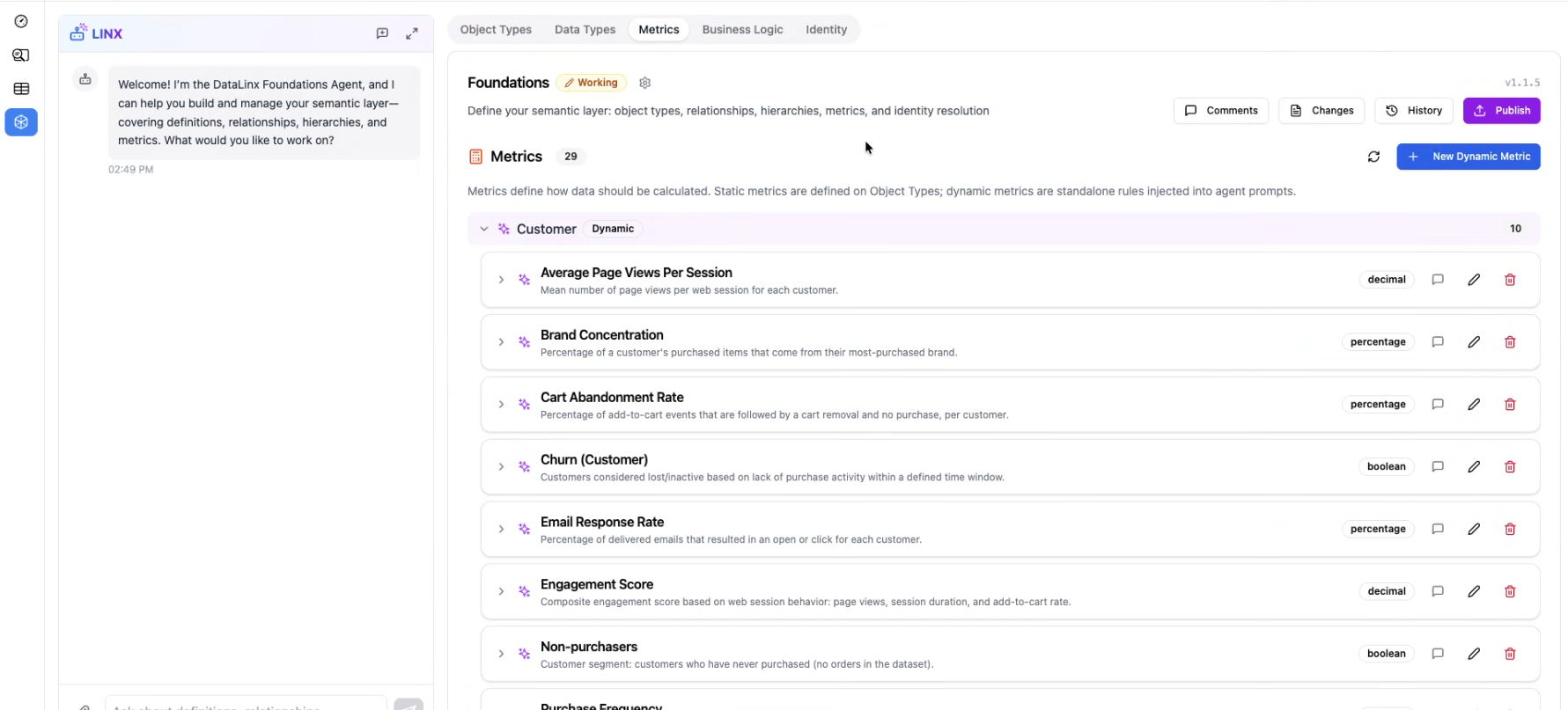
The Metrics tab is where you define your business KPIs and calculations as part of your semantic layer. Instead of embedding metric logic inside individual queries or dashboards, you define them once here and reuse them everywhere.
Why Define Metrics in Foundations?
Without a central metric definition, the same business question often gets answered differently:
- One team calculates "Revenue" as all orders, another excludes refunds
- "Active Users" means 30-day activity in one report and 7-day in another
- "Churn Rate" gets calculated with different denominators depending on who wrote the query
By defining metrics in Foundations, you create a single source of truth for how business measures are calculated.
How Metrics Work
Each metric has:
| Property | Description |
|---|---|
| Name | A clear, business-friendly name (e.g., "Total Revenue", "Monthly Active Users") |
| Description | What this metric measures and any important context |
| Natural Language Rule | A plain-English explanation of the calculation logic |
| Computation Type | How the metric is computed (see below) |
| Formula | The actual calculation logic |
| Object Type References | Which entities (Object Types) this metric relates to |
Computation Types
Aggregated Metrics
Metrics that summarize data across many rows:
SUM(orders.amount) WHERE status = 'completed'→ Total RevenueCOUNT(DISTINCT users.user_id) WHERE last_active > 30_days_ago→ Monthly Active UsersAVG(orders.amount)→ Average Order Value
Derived Metrics
Metrics calculated from other metrics or fields:
Total Revenue / Total Orders→ Average Revenue Per OrderChurned Users / Total Users * 100→ Churn Rate
Stored Metrics
Pre-computed values that already exist in your database as columns — you're just giving them a standard name and definition. For example, a lifetime_value column on your customers table that's calculated by an upstream process.
Creating Metrics
Via the UI
- Click Add Metric
- Enter the name, description, and natural language rule
- Select the computation type
- Write the formula
- Link it to the relevant Object Types
- Save
Via the Foundations Agent
- "Define a Total Revenue metric as the sum of all completed order amounts"
- "Create a Churn Rate metric for our subscription business"
- "What metrics should we track for a SaaS company?"
Metric Validation
Datalinx validates your metrics to catch common issues:
- Circular dependencies — Metric A depends on Metric B which depends on Metric A
- Missing references — Formula references an Object Type or attribute that doesn't exist
- Type mismatches — Aggregation on a non-numeric field
Tips
- Write the natural language rule first, then the formula — if you can't explain a metric in plain English, the formula is probably wrong
- Keep metrics simple — if a metric requires complex logic, consider breaking it into multiple intermediate metrics
- The AI agents use your metric definitions when generating insights and answering questions — well-defined metrics lead to better AI analysis
- Review metrics periodically to ensure they still match how the business thinks about its KPIs