Configure: Test
The Test tab is where you validate that your mappings and transformations produce correct results before pushing data to production. Think of it as a quality gate between "I've configured my pipeline" and "I'm confident it works."
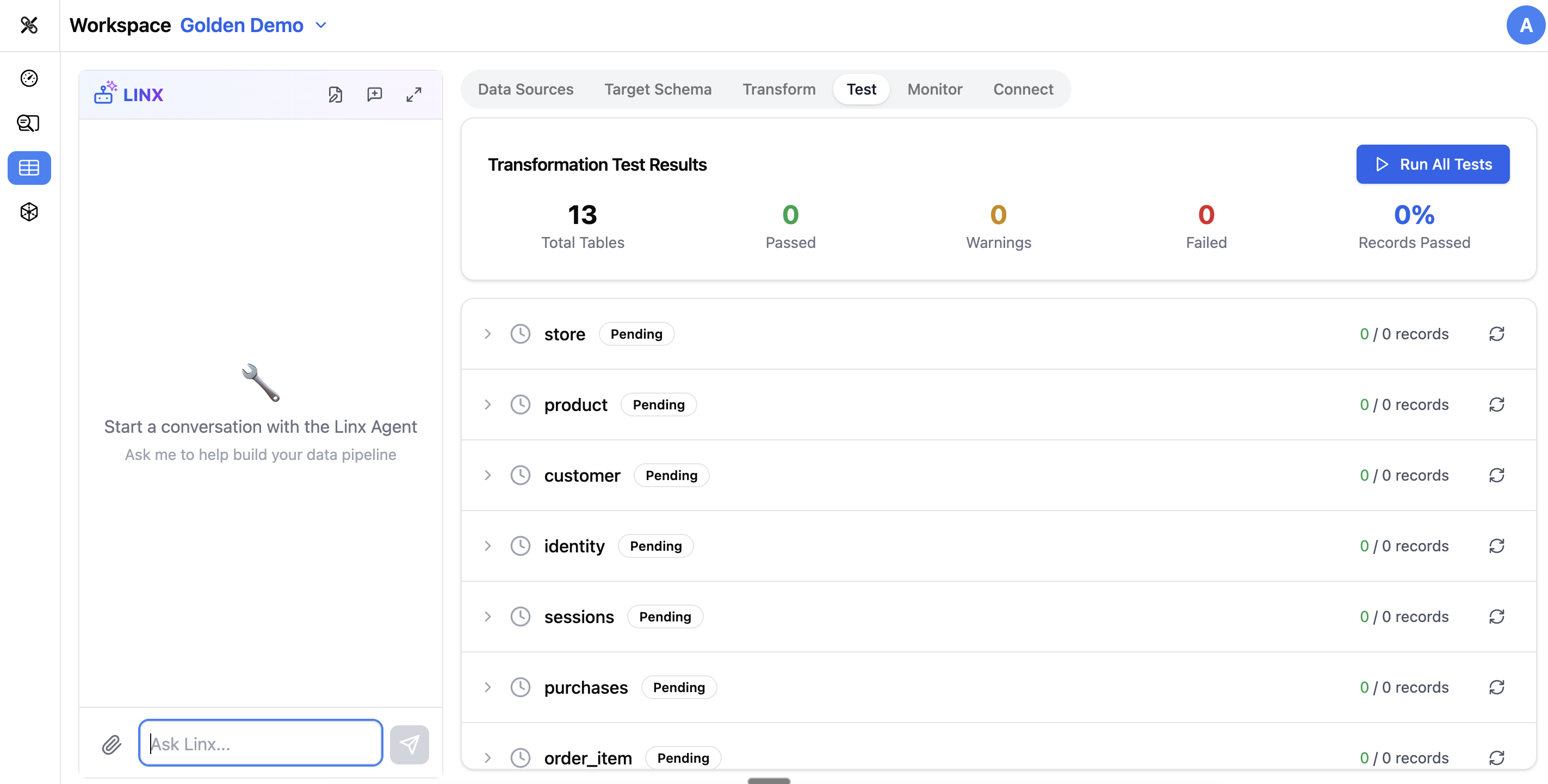
Why Test?
Mappings can look correct visually but produce unexpected results. Common issues include:
- Data type mismatches (a string field mapped to an integer column)
- Join logic that produces duplicate rows
- Null values where they shouldn't be
- Incorrect aggregations
- Missing data from incomplete mappings
The Test tab catches these issues before they affect your downstream analytics.
What You Can Test
dbt Tests
These are the data quality tests you configured in the Design tab:
- not_null — verify that required columns have values
- unique — verify that key columns don't have duplicates
- accepted_values — verify that values are within expected ranges
Runtime Tests
More advanced tests that check:
- Regex patterns — do values match expected formats (e.g., valid email addresses)?
- Volume checks — does the table have the expected number of rows?
- Drift detection — has the schema or data distribution changed since the last run?
Pipeline Execution Test
Run your entire pipeline (or a subset) in test mode to see:
- Whether all mappings execute successfully
- What the output data looks like
- Any errors or warnings generated during execution
Running Tests
- Select which tests to run (or run all)
- Click Run Tests
- Review results as they come in
Each test shows:
- Pass/Fail status
- Details — what was checked and what the result was
- Error messages — if a test failed, why it failed
Test Results History
The Test tab keeps a history of past test runs, so you can:
- Compare results over time
- See if a change you made fixed a previous failure
- Track overall data quality trends
Using the Pipeline Agent
The Pipeline Agent can help with testing:
- "Run all tests for the customers table"
- "Why is the unique test failing on customer_id?"
- "Add a not_null test on the email column"
- "Show me the test results from the last run"
Tips
- Run tests after every significant change to your mappings or CTEs
- Start with basic tests (not_null, unique) on your key columns — these catch the most common issues
- If a test fails, check the Transform tab to review the mapping or CTE that produced the bad data
- Use volume checks to make sure your pipeline isn't silently dropping rows
- A playback error (test result differs from a previous successful run) usually means your latest change broke something — investigate before proceeding