Foundations: Data Types
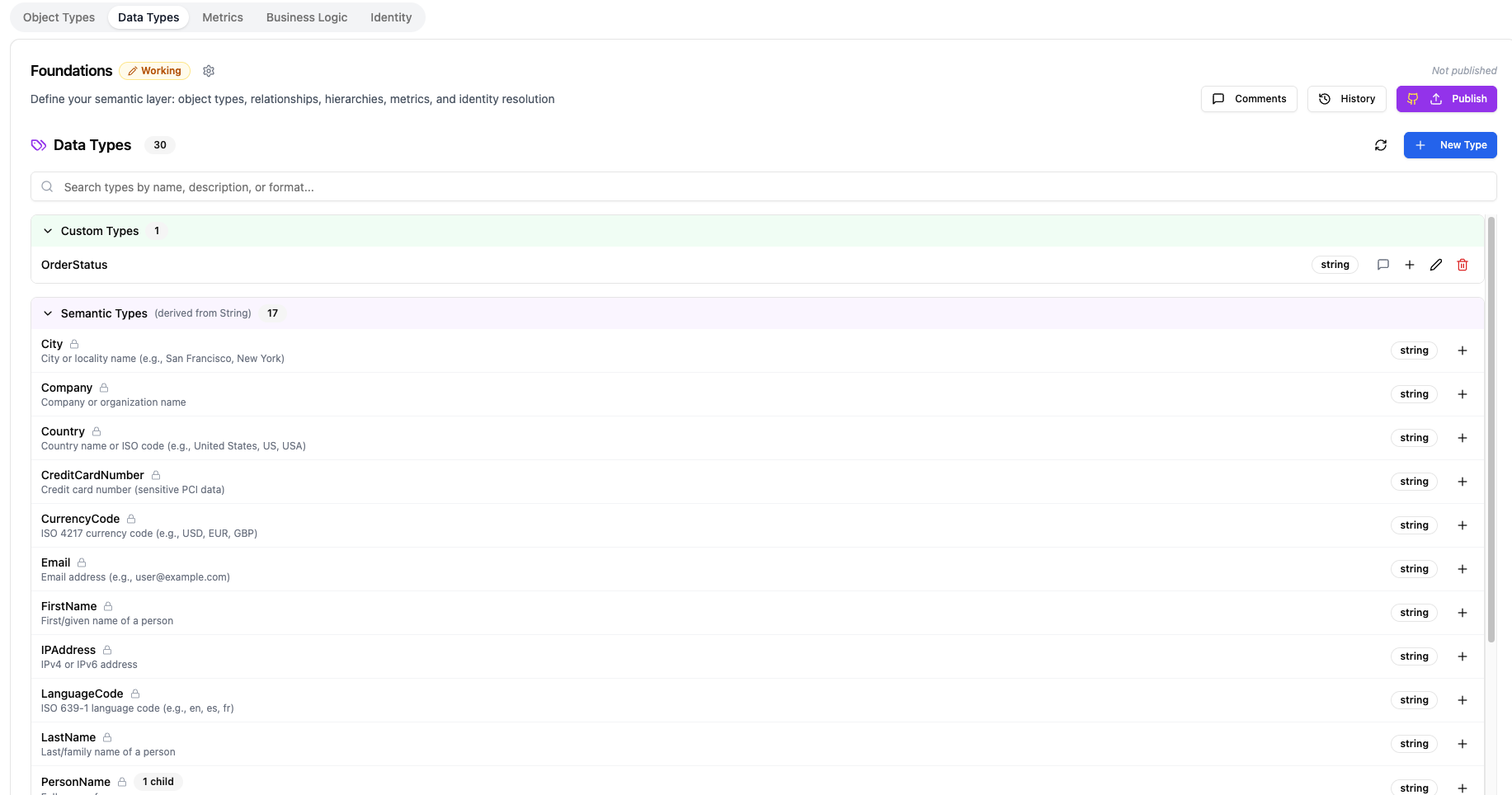
The Data Types tab is your type library — a catalog of data types that carry business meaning beyond basic storage types like "string" or "integer."
Why Semantic Data Types?
Every database has basic types: strings, integers, dates, booleans. But these don't tell you what the data means. A "string" column could be an email address, a phone number, a country code, or a product name — all of which have very different rules and behaviors.
Semantic data types add that business context:
| Basic Type | Semantic Type | What It Adds |
|---|---|---|
| string | Must be a valid email format | |
| string | PhoneNumber | Phone number formatting and validation |
| decimal | Currency | Monetary value with currency awareness |
| string | URL | Must be a valid URL format |
| string | UUID | Universally unique identifier format |
| date | BirthDate | A date that represents someone's date of birth |
When you assign a semantic type to an attribute in your Object Types, the platform automatically knows how to validate, display, and handle that data.
Built-in Types
Datalinx comes with two categories of built-in types:
Base Types
The fundamental storage types that match your database:
string,text— text valuesinteger,bigint— whole numbersfloat,double,decimal— decimal numbersboolean— true/falsedate,datetime,timestamp,time— temporal valuesjson— structured JSON datauuid— universally unique identifiers
Semantic Types
Pre-built types with business meaning:
- Email — validated email addresses
- PhoneNumber — phone numbers with format awareness
- Amount / Currency — monetary values
- URL — web addresses
- Percentage — values representing percentages
- Country / Region — geographic identifiers
(The exact list depends on your Datalinx configuration.)
Custom Data Types
You can create your own semantic types for domain-specific needs.
Creating a Custom Type
- Click Add Data Type
- Choose a parent type to inherit from (a base type or an existing semantic type)
- Give it a name and description
- Add optional constraints:
- Allowed values — a specific list of acceptable values (e.g., a status field that must be "active", "inactive", or "suspended")
- Pattern — a regex pattern the value must match
- Min / Max — numeric boundaries
Examples of Custom Types
| Custom Type | Inherits From | Constraints |
|---|---|---|
| OrderStatus | string | Allowed values: pending, confirmed, shipped, delivered, cancelled |
| SubscriptionTier | string | Allowed values: free, basic, premium, enterprise |
| ConfidenceScore | decimal | Min: 0, Max: 1 |
| USZipCode | string | Pattern: ^\d{5}(-\d{4})?$ |
Using Data Types
Once defined, data types are used when creating attributes in your Object Types:
- Go to the Object Types tab
- Add or edit an attribute
- Select a data type from the dropdown — you'll see both base types and semantic types
- The selected type determines validation and display behavior
Tips
- Prefer semantic types over base types whenever possible — they make your data model self-documenting
- Create custom types for domain-specific values (like status codes, tier levels, or region codes) — this enforces consistency across your entire data model
- Good data types reduce errors downstream — if an attribute is typed as Email, you'll catch invalid values early
- The Foundations Agent can suggest appropriate data types: "What type should I use for a customer loyalty score that ranges from 0 to 100?"