Foundations: Business Logic
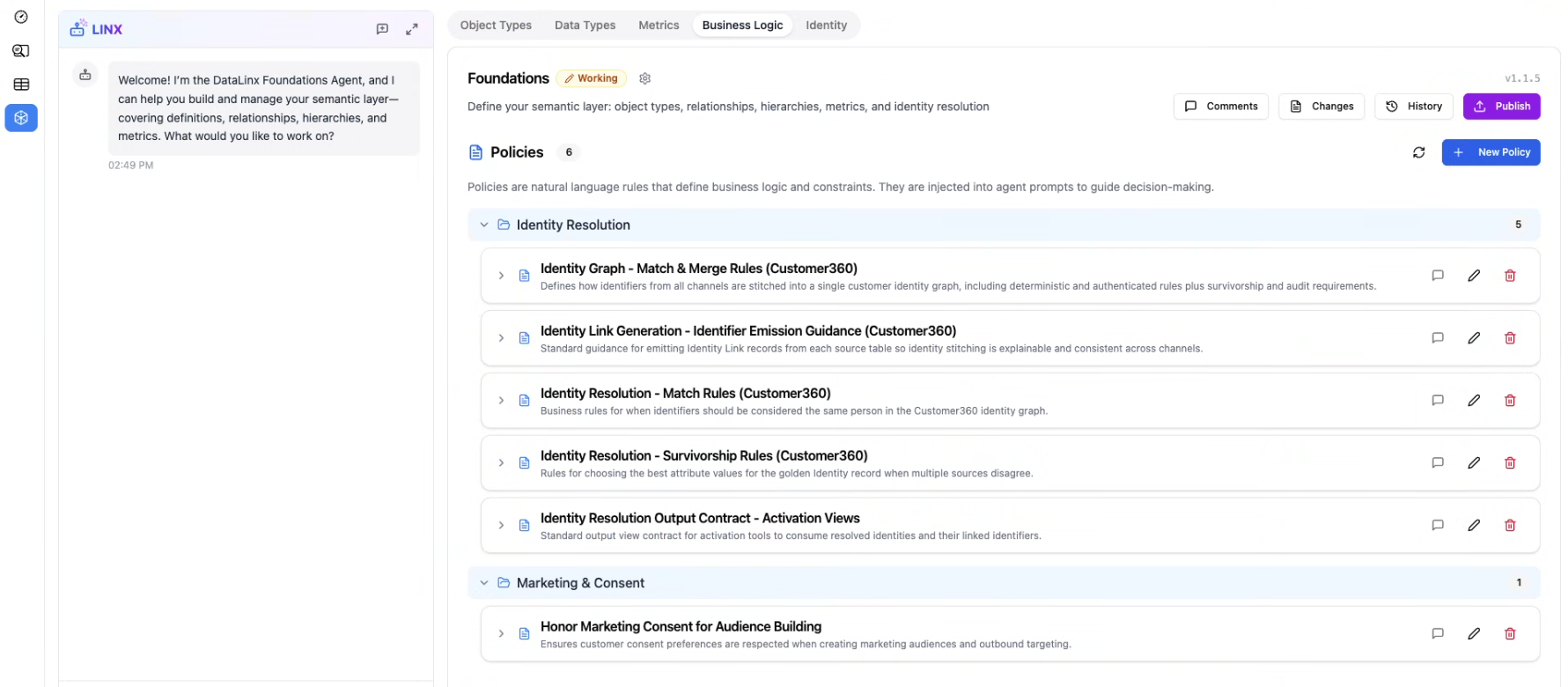
The Business Logic tab (labeled "Business Logic" in the navigation) is where you define governance rules, access controls, and business policies for your data. These rules ensure that the right people have access to the right data, and that sensitive information is handled appropriately.
Why Business Logic?
As your data platform grows, you need rules around:
- Who can see what — not everyone should have access to PII (personally identifiable information)
- How sensitive data is handled — some fields need masking or encryption
- Data quality requirements — minimum standards that your data must meet
- Compliance — regulatory requirements like GDPR, HIPAA, or CCPA
Business Logic rules are defined at the semantic layer level, so they apply consistently across all uses of the data.
Types of Rules
Access Rules
Define which roles or users can access specific data:
- "Only users with the
data_adminrole can see theemailandphone_numberfields" - "The
salaryattribute on the Employees entity is restricted to HR"
Data Masking Rules
Define how sensitive data should be displayed to users who can access it:
- Mask email addresses:
john.doe@example.com→j***@example.com - Mask phone numbers:
555-123-4567→***-***-4567 - Hash identifiers for anonymized analysis
Quality Rules
Define minimum data quality standards:
- "The
customer_idfield must be 100% complete (no nulls)" - "The
emailfield must match a valid email format in at least 95% of rows" - "New data must arrive within 24 hours of the event occurring"
Retention Rules
Define how long data should be kept:
- "Delete inactive user records after 2 years"
- "Archive order data older than 5 years"
Categories
Business Logic rules are organized into categories to keep them manageable. You can create custom categories that make sense for your organization (e.g., "Privacy", "Data Quality", "Compliance", "Security").
Rules within each category are grouped together in the UI, making it easy to find and manage related rules.
Creating Business Logic Rules
- Click Add Rule (or the add button)
- Choose the category
- Give it a name and description
- Define the scope — which Object Types, attributes, or tables it applies to
- Set the rules and thresholds
- Save
Enforcement
Business Logic rules defined in Foundations serve as documented rules and governance standards. They inform the AI agents about data sensitivity and guide recommendations. Depending on your deployment, rules can also be enforced at the database level through views and row-level security.
Tips
- Start with access rules on your most sensitive fields (PII, financial data)
- Define quality rules for your key business metrics — this catches data issues before they affect decisions
- The Foundations Agent can help: "Create a masking rule for all PII fields" or "What business logic rules do we need for GDPR compliance?"
- Review rules when new data sources are added — new tables may contain sensitive data that needs coverage